+1 6477241694
 +44 2039 960 991
 +91 78900 99810
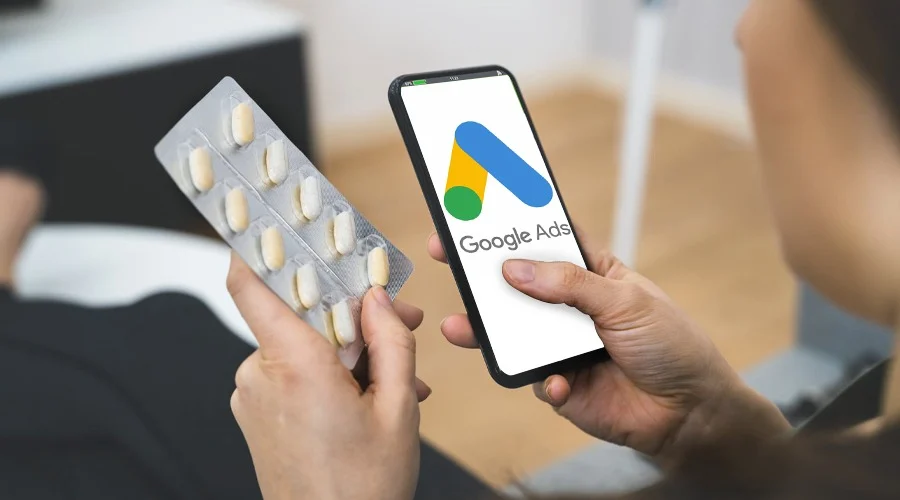
The latest Google Ads healthcare policy update has brought new struggles and opportunities. To ensure user safety and mitigate any potential risk, complying with these policies is vital.
Google implements a framework of policies. These rules vary according to the health care services or products and the location of the country that is targeted. When it comes to certification, most advertisers need to comply with a two-layer certification policy. The first is Google certification, and the second is third-party credentials like LegitScript, registration certification from a local regulatory body, etc.
This is policy news, especially important for mental health services, private clinics, medical device manufacturers, pharmaceutical manufacturers, or wellness program organizers.
In this post, we will explore the new Google Ads healthcare compliance, what it means for your campaigns, and how you can adapt your strategy.
Let’s start!
Key Takeaways
- Google healthcare ads have different rules based on the service and country.
- Some healthcare businesses need Google or third-party certification before they can run ads.
- Your ads must follow Google’s general ad policy and avoid false or unsupported health claims.
- If your ad is rejected, check the policy issue, fix it, and request a review.
What Is the Google Ads Healthcare and Medicines Policy?
Google’s Healthcare & Medicines Policy is in place because health advertising can impact people’s well-being and is highly regulated by law. In reality, Google categorizes healthcare advertising into three categories: prohibited (cannot be advertised), restricted (can be advertised but requires prior approval and certifications), and allowed with restrictions (must comply with guidelines related to claims, local regulations, targeting, Google’s and third-party certifications, and landing pages). The requirements may vary from one category to another.
Explain Google’s Healthcare and Medicines policy in simple language and clarify that different healthcare categories have different requirements.
| Category / Example | What it is | Policy status | What you must do to advertise |
| Online pharmacies | Websites that sell prescription medicines and ship to patients | Restricted (certification required) | Obtain third‑party certification (e.g., LegitScript and/or NABP/.pharmacy where applicable) and complete Google’s healthcare certification; follow country‑specific rules |
| Telemedicine that prescribes | Virtual clinics that assess patients and issue prescriptions | Restricted (certification required) | Obtain LegitScript telemedicine certification (where required) and Google’s healthcare certification; ensure licensed practitioners and compliant landing pages |
| Addiction treatment services | Rehab, detox, counseling for substance use disorders | Restricted (certification required) | Obtain LegitScript addiction treatment certification and Google’s healthcare certification; meet behavior and claim restrictions |
| Pharmaceutical manufacturers (Rx & OTC drugs) | Companies that make prescription or over‑the‑counter medicines | Restricted (certification required) | Apply for Google’s pharmaceutical manufacturer certification; allowed only in approved locations and with compliant ad/landing‑page content |
| Health / medical insurance (U.S.) | Plans and brokers advertising health or medical insurance | Restricted (certification required) | Obtain Google’s G2RS health insurance certification; additional certificate required for ACA‑related keywords |
| Routine provider services (clinics, dentists, dermatologists, med spas, physio, labs) | In‑person or local services that do not prescribe or sell restricted items online | Generally allowed (no special certification) | Follow general ad policies; avoid prohibited or speculative treatment claims; respect sensitive‑targeting and landing‑page requirements |
| Prescription opioid painkillers | Ads promoting opioid analgesics | Prohibited | Do not advertise |
| Unapproved / experimental or speculative treatments | “Miracle cures,” unproven stem‑cell or gene therapies, etc. | Prohibited or tightly restricted | Do not advertise; in limited cases, only with explicit regulatory approval and Google pre‑approval |
| Certain sexual‑health / HIV home‑test promotions | Some STI/HIV self‑test kits and related offers | Restricted or prohibited depending on country | Check country rules; where allowed, follow strict content and certification requirements |
What is New in Google’s Health care and Medical Policy?
HCP Targeting Is Back in Some Markets
Google has reintroduced limited healthcare professionals (HCP) targeting some markets. Eligible advertisers can now run personalized campaigns for verified HCP audiences.
This can give medtech, medical device, and pharma brands more options for compliant B2B advertising.
The “Restricted Medical Content” Label Is Gone
Google deprecated its old “Restricted Medical Content” label in 2025. Instead of using one broad label, Google now focuses more on certification, location, and specific healthcare advertising rules.
So, if you advertise prescription drugs or other healthcare services, you still need to check the rules that apply to your location and service.
Certification and Location Rules Are Getting More Important
Google continues to place a strong focus on advertiser certification and location-based requirements.
For example, pharmacies and telemedicine providers may need certifications such as LegitScript, NABP, or .pharmacy. Health insurance advertisers in the U.S. may need G2RS certification.
Local registration can also matter. For example, healthcare advertisers may need to meet requirements linked to bodies such as the GPhC in the UK or relevant registries in other countries.
What B2B and B2C Brands Need to Understand?
Google’s healthcare ad rules can feel a little confusing at first. The easiest way to understand them is to look at what you offer and who you want to reach.
For B2C Brands
This includes clinics, telehealth providers, pharmacies, med spas, and direct-to-consumer health brands.
Check your category first.
Start by checking which healthcare category your business falls into. A standard clinic or med spa may not need special certification. But if you prescribe medicines online, sell prescription drugs, or offer addiction treatment, you may need LegitScript certification and Google approval before you start advertising.
Target intent, not someone’s health condition
You can target searches such as “knee pain treatment near me.” But you should not create audiences based on what you think someone’s medical condition or health status is.
In simple terms, focus on what people are searching for. Do not try to identify their private health information.
Pay attention to your claims and landing pages.
Your ad is only one part of the picture. Google can also look at your landing page.
Avoid claims or guaranteed results. Give clear contact details, a privacy policy, and accurate information about your services and locations.
For B2B Brands
This includes medtech companies, medical device brands, pharma companies, and SaaS businesses that sell to healthcare providers.
Use HCP targeting where it is available
If you are marketing to doctors, clinics, or hospitals, check whether Google’s HCP targeting options are available for your market.
This can help you reach professional audiences without relying on broad consumer health targeting.
Keep consumer and professional messaging separate.
The message you use for patients may not be right for healthcare professionals.
Consumer campaigns need to be careful with sensitive health information. Professional campaigns can focus more on verified healthcare audiences, product information, and approved uses.
Check each country before you launch
Do not assume that one healthcare campaign will work everywhere.
A drug, device, or healthcare service may have different advertising requirements in the U.S., UK, EU, or other markets. Check the local certification, registration, and landing-page requirements before launching each campaign.
Which Healthcare Products and Services Are Restricted on Google Ads?
Unapproved Substances
Google prohibits advertising for drugs or supplements that are not approved by relevant regulatory authorities. This list includes all items mentioned in the unapproved pharmaceuticals and supplements, products without the approval of authorities, or anything under regulatory action, warning, or deemed unsafe. You can check out an exhaustive list on the official update.
Unauthorised Pharmacies
Restricted healthcare ads and PPC: Google has also put a ban on pharmacies that are operating without proper verification, which are banned from advertising.
Speculative and Experimental Claims, Cell or Gene Therapies
Google does not allow any kind of promotion of experimental claims for cell or gene therapies. However, the US market has some exceptions. Advertise holds the relevant FDA license/approval to market that specific product and can run compliant ads.
Abortion Advertising
In many specific regions, abortion ads are forbidden. To run abortion ads in countries like the UK, USA, and Ireland, advertisers need to comply with these:
The region-specific regulations, Certification, and running ads based on related queries.
Sexual Health, Fertility, Contraception and Testing
One of these clauses in Google’s ad healthcare policy update puts a ban on, or heavily regulates, the promotion of sexual and wellness services. This regulation applies to any kind of Google Display Network, including YouTube.
This list includes:
- HIV Home Test: HIV home test kits or services are approved if they are legally approved in the region being targeted.
- Birth Control, Fertility, and Testing: Ads for contraception, fertility treatments, and STI testing are forbidden based on the local region’s rules.
Regulated Products and Services
According to Google Ads and healthcare policy news, this category includes a range of product and service providers. They include prescription drug services, pharmaceutical manufacturers, addiction services, and health insurance. These products and services are regulated, not simply “unapproved.” Google allows them when advertisers meet the required certifications, Google’s approval process, and local laws. They must also follow rules for ad claims, targeting, and landing pages.
Prescription Drug Services
Online pharmacies offering prescription drug services must comply with regulations and restrictions in the regions they target. This includes online prescription drug services and telemedicine services, but is not limited to these.
Advertisers must hold Google Ads healthcare certification and comply with country-specific regulations.
Pharmaceutical Manufacturer
Pharmaceutical manufacturers are forbidden to provide ads except in specific countries. This includes local laws and industry-specific compliance. Plus, advertisers must get certification from Google to run ads.
Addiction Treatment and Recovery Services
The promotion of companies for alcohol and drug addiction recovery is restricted. To serve Google in counties where it is not prohibited, advertisers must complete Google’s LegitScript certification process. These organization also need to follow the Google’s general advertising policy . For example, they must avoid misleading claims or giving inaccurate facts.
Health Insurance Advertising
Insurance providers must comply with the local regulatory body. They also need to comply with Google’s general advertising policy.
In the USA, there is an exception. Companies or advertisers are prohibited from advertising health and insurance coverage plans, or even ACA-compliant plans, without Google certification.
The exception here is government advertisers or those with government pre-approval.
How to Get Google Ads Healthcare Certification?
Identify Your Healthcare Category
First, check what type of healthcare service or product you offer.
You may need certification if you advertise online pharmacies, telemedicine, addiction services, health insurance, pharmaceutical products, or other restricted healthcare categories. Regular healthcare services may follow different rules.
Check Your Target Country
Google’s healthcare rules can change from one country to another. A service that is allowed in the U.S. may have different requirements in India, the UK, or another market. Check the rules for every country you plan to target before you launch your campaign.
Read Google’s Healthcare Policy
Next, review Google’s Healthcare and medicines policy. Look at the rules for your specific category. This will help you understand what you can advertise, what needs approval, and what restrictions apply to your ads and landing pages.
Get Third-Party Certification if Needed
Some healthcare categories require another certification before you apply to Google. For example, certain advertisers may need LegitScript, NABP, or G2RS certification, depending on their service and location. The exact requirement depends on the category and country.
Apply for Google Healthcare Certification
Once you have the required documents or a third-party certification, you should apply to Google for healthcare advertising approval.
In the application, you must enter your personal information (Google Ads customer ID), a certified domain, business information, and any documents provided. After that, Google checks the information and approves the advertising account.
Check Your Ad and Landing Pages
Before launching the advertising campaign, check your ad and landing page, making sure the statements in your advertisement are accurate and your company’s information is up to date. In addition, ensure that your website’s data complies with Google’s healthcare advertising policy and the state’s laws in the country where the advertisement will be displayed.
Keep Checking Your Policy Status
Keep an eye on your Google Ads policy status. Check whether there are any approvals or warnings. If your service, website, certification, or target market changes, check the requirements again. You may get an unexpected flag due to such sudden changes.
Real-World Example: Fixing a Healthcare Google Ads Certification Issue
Let us share a real example. Our team has done this for one of our clients. The business is addiction recovery service provider in the USA, was struggling to get their Google Ads approved.
We conducted a thorough audit and found that they had not submitted Google’s Addiction Treatment Certification, even though they already had that approval. As a result, their Google ads got approved.
After 2 weeks, the client started getting the qualified leads from the campaign.
Keep the existing addiction-treatment client example.
Google Ads Healthcare Policy by Country
| Country | Online pharmacies | Telemedicine that prescribes | Addiction treatment services | Pharmaceutical manufacturers (Rx/OTC) | Health / medical insurance | Key notes for advertisers |
| United States | Allowed with limitations | Allowed with limitations | Allowed with limitations | Allowed with limitations (certification required) | Restricted (Google certification required for health & medical insurance; extra certificate for ACA keywords) | Requires LegitScript or NABP/.pharmacy (or VIPPS) for pharmacies/telemedicine, plus Google healthcare certification; opioid painkiller ads prohibited; FDA‑licensed/approved cell or gene therapies allowed only for holders of the relevant FDA marketing authorization. |
| United Kingdom | Allowed with limitations | Allowed with limitations | Allowed with limitations (government entities only) | Allowed with limitations (OTC only; DTC Rx promotion restricted) | No dedicated Google health‑insurance certificate listed; general policies apply | Online pharmacies must be registered with the General Pharmaceutical Council (GPhC); telemedicine providers need LegitScript certification; prescription drug terms generally restricted in consumer ads; abortion‑related queries require special certification |
| Ireland | Not allowed (online pharmacies offering prescription collection/delivery, sale of non‑medicinal products, or online consultation) | Not explicitly permitted under online pharmacy rules | Allowed with limitations (government entities only) | Not specified for DTC Rx promotion in this summary | No dedicated Google health‑insurance certificate listed | Google does not allow promotion of online pharmacies in Ireland under the stated conditions; other healthcare ads must still meet local law and general ad policies. |
| Canada | Allowed with limitations | Allowed with limitations | Allowed with limitations | Allowed with limitations (OTC; Rx DTC tightly constrained) | No dedicated Google health‑insurance certificate listed in the global policy summary | Pharmacies/telemedicine typically need LegitScript or NABP/.pharmacy (or VIPPS) plus Google certification; addiction services require LegitScript Addiction Treatment Certification. |
| India | Allowed with limitations | Allowed with limitations (via LegitScript telemedicine path) | Allowed with limitations (government entities only) | Allowed with limitations (OTC in line with local law) | No dedicated Google health‑insurance certificate listed | Online pharmacies must be verified by LegitScript’s Healthcare Merchant Certification Program and cannot promote prescription drugs in ads/landing pages; pharmaceutical manufacturers may promote OTC medicines per local law; pre‑natal gender determination product ads are prohibited. |
How to Fix a Healthcare Google Ads Disapproval?
Step 1: Identify the exact policy violation
Start by checking the reason Google gave for the disapproval.
Open the disapproved ad or asset in Google Ads and look at the Policy details section.
Tips:
Note the exact policy name shown by Google, such as “Healthcare and medicines,” “Unapproved substances,” or “Misrepresentation.”
Save or copy the disapproval message so you can refer to it while making changes.
Step 2: Review the applicable Google policy
Next, read the Google policy that applies to your disapproval.
This will help you understand what is allowed and what needs to change for your service and target country.
Tips:
- Focus on the section that applies to your service.
- Check rules for areas such as online pharmacies, telemedicine, health insurance, or restricted treatments.
- Pay attention to country-specific rules if you advertise in more than one market.
Step 3: Check your certification and verification status
Now check whether your account needs healthcare certification.
Look at your verification or policy information in Google Ads. Check whether your certification is approved, pending, missing, or incorrect.
Tips:
- Check your certification status in Google Ads.
- If you need third-party certification, complete it first.
- Then apply for Google’s healthcare certification if your category requires it.
Step 4: Review ad copy and targeting
Take another look at your headlines, descriptions, assets, keywords, and audience settings.
Check for medical promises, unsupported claims, or targeting that could reveal sensitive health information.
Tips:
- Remove absolute promises and unverified medical claims.
- Avoid targeting that suggests or reveals someone’s health condition.
- Focus your targeting on relevant search intent, such as your service and location.
Step 5: Review and update landing pages
Next, check the landing page linked to your ad.
Make sure the page clearly explains your business and service. It should also follow Google’s rules and match what your ad says.
Tips:
- Add clear business details and contact information.
- Include your privacy policy and required licensing information.
- Make sure your claims follow the rules for your healthcare category and country.
- Remove misleading, speculative, or prohibited content.
Step 6: Make corrections and save changes
Once you know what caused the problem, make the necessary changes.
Update the ad, assets, targeting, or landing page based on the policy issue.
Tips:
- Change the parts that caused the violation.
- Keep the main message clear and accurate.
- Check the complete ad and landing page before submitting them again.
Step 7: Request a review or appeal
After making the changes, request a review through Google Ads.
Google can then check the updated ad or asset again.
Tips:
- Briefly explain what you changed in your review request.
- Explain how the changes address the policy issue.
- Check your ad status after submitting the request.
- If the ad is still disapproved, review the policy again and make any additional changes that are needed.
Final Thoughts for Advertisers
If you advertise in the healthcare space, compliance must come before creativity. Advertisers who treat compliance as a strategic priority will always stay one step ahead. Those who win long-term are the ones who prioritize accuracy, transparency, and user safety just as much as conversions.
Start by identifying your healthcare category and completing any required certifications or verifications. Make sure your ad copy and landing pages are medically accurate, transparent, and free from exaggerated claims. Continuously monitor policy updates and disapproval notices to keep your campaigns compliant and active.
How can TTC Digital Help You?
We have been handling Google Ads for various industries; health care is one of our specialties. Several players in the health and wellness industry have already thrived in the target market; now it’s your turn!
Book a free consultation now to discuss your pain points! Our expert is here to help you excel!
Frequently Asked Questions
Do healthcare businesses need Google Ads certification?
Not every healthcare business needs certification. Certain categories, such as online pharmacies, some telemedicine services, addiction treatment, pharmaceutical companies, and U.S. health insurance, may need special certification.
Does healthcare advertising certification vary by country?
Yes. The rules can be different in each country. A service that is allowed in one country may need extra approval or may not be allowed in another.
Why are my healthcare Google Ads disapproved?
There can be several reasons. Your certification may be missing, your service may be restricted, your ad may contain a prohibited claim, or your landing page may not meet Google’s rules.
How do I advertise addiction treatment services on Google?
You generally need to complete the required LegitScript certification and then get Google’s healthcare approval. Your ads and landing pages must also follow Google’s rules and local laws.
Does LegitScript certification guarantee Google Ads approval?
No. LegitScript certification does not guarantee approval. Google can still review your ads, website, and account before allowing your campaigns to run.
Can medical clinics advertise on Google?
Yes. Many clinics can advertise on Google without special healthcare certification. They still need to follow Google’s advertising rules and avoid misleading or unsupported treatment claims.
Can healthcare businesses advertise prescription drugs?
Prescription drug advertising has strict rules. What you can advertise depends on the product, country, and type of advertiser. Some prescription drug categories are not allowed at all.
What healthcare services are restricted on Google Ads?
Some restricted categories include online pharmacies, certain telemedicine services, addiction treatment, pharmaceutical businesses, and U.S. health insurance. These categories may need certification and Google’s approval.
How can I appeal a healthcare Google Ads disapproval?
First, find the reason for the disapproval and fix the issue. Then use the “Request review” option in Google Ads and explain what you changed.
How do I check whether my healthcare ads comply with Google Ads policies?
Check the “Policy details” section for your ads and assets in Google Ads. You can also use the Policy Manager to check for account-level issues and make sure your ads, targeting, certifications, and landing pages follow the rules.