+1 6477241694
 +44 2039 960 991
 +91 78900 99810
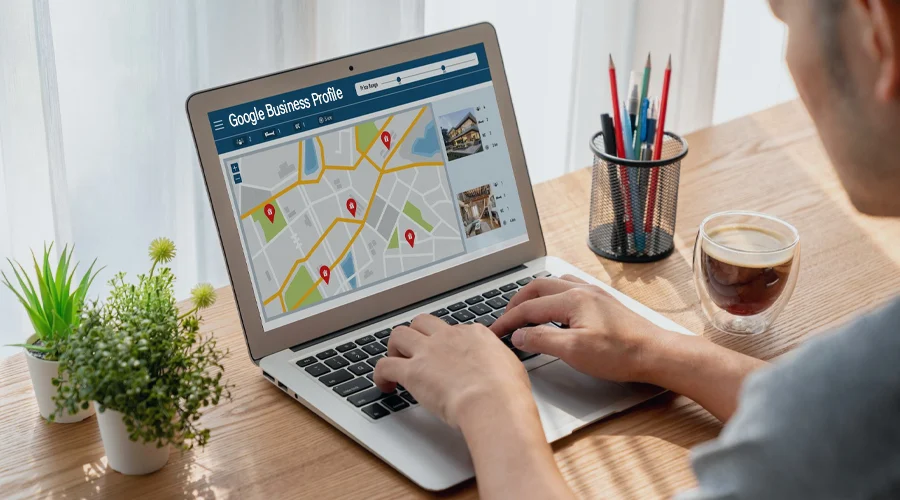
46% of people do local searches on Google, and 42% of such local searches click on Google Maps pack results.
The equation is quite simple. People use Google to find local businesses and professional services. That means you can bring in customers if your business appears in Google Local Services.
That’s why Google Business Profile is an asset for your startups and small businesses.
Do you know the best part here? You can use the Google Business Profile optimization free of cost. So, it’s not expensive or complicated.
Rather, we must say, Google My Business SEO is a low-hanging fruit to increase your brand visibility in the targeted locations.
Maintain a complete profile and update the details frequently. Establish trust by collecting Google reviews and ensuring NAP consistency. And, use all the features like post, booking buttons, Q&A, available in a better way than your customers.
Key Takeaway
- Optimize your verified Google business profile using complete details.
- Accurately fill in the business name, operation hours, categories, attributes, and NAP.
- Write a unique and helpful business description, provide a website link, and a phone number.
- Make the best use of all features like special badge, Q&A, and appointment scheduling tool integration.
- Use Google posts to engage your audience by sharing new thoughts, original pictures, and offers.
| GBP Feature / Action | What You Should Do | Impact on Local Customers | Priority Level |
|---|---|---|---|
| Profile Completion | Fill 100% of your Google Business Profile details | Builds trust & improves visibility | ⭐⭐⭐⭐⭐ |
| Business Categories | Choose accurate primary + secondary categories | Helps you appear in relevant searches | ⭐⭐⭐⭐⭐ |
| Reviews Management | Get consistent reviews & reply to all | Increases trust + boosts conversions | ⭐⭐⭐⭐⭐ |
| Photos Upload | Add real, high-quality images weekly | Drives more clicks & engagement | ⭐⭐⭐⭐ |
| Google Posts | Share updates, offers, tips regularly | Keeps profile active & attracts attention | ⭐⭐⭐⭐ |
| Services Optimization | Add keyword-rich service descriptions | Improves relevance for search queries | ⭐⭐⭐⭐ |
| Q&A Section | Add FAQs and answer queries | Removes customer doubts early | ⭐⭐⭐ |
| Messaging Feature | Enable and respond quickly | Converts interested users into leads | ⭐⭐⭐⭐ |
| Attributes | Add relevant business tags | Helps appear in filtered searches | ⭐⭐⭐ |
How to Drive More Customers Using Google Business Profile Optimization?
At TTC, we were blessed to be a part of some of the successful local SEO campaigns. While working with clients across the globe, we have found that one of the most effective strategies for increasing local business ranking is Google listing optimization.
In fact, businesses with a Google listing are likely to earn 2.7 X more credibility than other companies that do not.
By consistently optimizing the profile, you can increase website clicks. You can also bring in Google map ranking. You can also successfully gain more direction requests and drive more phone calls.
So, here we will share some tips and talk about strategies for GBP optimization. You can use them to drive more customers locally!
Complete Your Profile with All Details
First, make sure you have claimed your profile. Or, you have gone through the verification process.
Don’t stop by, only filling up the basic details like business hours, business names, and locations is not enough. Yes, they are essential, but not enough.
Include the list of services; Very specifically add the service names. Include your service area. You can signal Google the proximity. It will help your SEO ranking for specific location searches.
Add your contact numbers. Not just the phone number, give alternatives like emails and Fax. Give your website link [ the latest one].
When it comes to business categories, select the primary category exactly. Add secondary category.
Create a Useful Google Business Profile
Using these Google My Business SEO tips, you can have an edge over your local competition. Try to make your profile useful for customers.
Think from their perspective. If you are the customer, how will you identify the solutions? You will check their solutions, right? Do they solve your pain points? Can you trust them? There are countless questions come to mind.
So, you have to create your Google business profile so that it helps to satisfy all these questions. People don’t hesitate or palpitate while choosing your business.
So, here are some local SEO tips you can follow:
- Business Description: Start by writing a compelling description for your business. No, not that one, what your competitors are writing. Grab a scope to make it more useful. Explicitly describe your service areas.
Use your keywords, which means the locational ones. Write it as a sales team convinces people. Talk about what your customers absolutely want to know. Like, describe your services from the aspect of what they solve. Talk about how it helps the customers.
- Photos: Post photos as listings with photos get 2X more conversions. Not just the cover photos or logos. Share the original picture of your storefront. Capture the interior and exterior views and the nearby streets and landmarks. Publish your customers’ videos who are happy with the outcomes.
Name your image files for optimization with keywords. Yes, it helps.
- Google Reviews: Work on earning Google reviews. Yes, it builds trust. Better ratings mean a higher SEO score. Share the review link on your website. Personally send to all your customers. Encourage sharing feedback with photos. This has another benefit also.
Your profile gets updated without much effort from your site. It gets new content, and when you respond to reviews, it is even better. You can use service-based keywords naturally in your profile and in feedback.
Let’s come to another crucial point here. Never hesitate to respond to the negative reviews. Leave prompt replies. Showcase an apology or offer a solution to their grudge. Offer a one-to-one conversation with the tea. Share an apology or promise that they will never have to face such things again.
Work to Improve Google Map Ranking
Let’s say your customers have already decided to visit your business. Next, they will search on Google directly with our business name.
How will the result be shown? The Google business profile will appear first, along with the Map location, followed by your website and other listings. Mostly, this will be the picture.
Why does it happen? Because when you search directly by business name, Google will take this intent as you want to see its location.
That’s why Google map ranking is vital for local SEO. Build relevance of your business by optimizing your business profile [ like categories, business description, and service list]
Google prioritizes active businesses. So, keep your account active by sharing posts. This can be the latest services, deals, or seasonal offers. Or, you can share unique thoughts that go with your service/ product philosophy.
Establish your proximity. Embed your location map on your website. Build locational pages. Consistently appear on various listings with the same address, location, proximity, etc. Include your locational signal in social media accounts.
Stand out Using Available Features
Google Business Profile already comes with several features. Use it to stand out from others’ profiles.
Again, we would mention the Google posts. At least share one post per week. These activities will create prominence.
Use the Q&A section. Customers can ask the direct question here. Or, you can create an FAQ section here that you may get mostly from your customers. This is something that will make your customers more meaningful to the clients.
Another thing you should use is booking and appointment integration. Use Book Now buttons, integrate consultation scheduling tools, or add direct booking links.
Use a special badge on your profile. This can be any facility. Some think of free parking, Wifi available, a wheelchair or assistant for disability, etc.
Final Thoughts
In the above blog, we have already shared some helpful local SEO tips. These are very useful for Google business profile optimization.
Apart from applying these hacks, try to go beyond. Understand your customers’ minds, like what they need or want. You will get an answer on how beautifully you can build your Google listing.
Do you wish to generate qualified leads through your Google business profile? Well, then, we at TTC can assist you with that. Our professional team has helped many clients optimize their Google business profiles.
We rank the Google business profile higher and improve the local map ranking. Many of our clients get steady leads from Google Business Profile.
Want to know more? Get a free consultation call now! We are here to listen to you!
Frequently Asked Questions
Do Google posts improve my profile engagement?
Yes, when you share original photos, users see and consume them more and engage more.
How can I improve Google Maps ranking?
Relevance, prominence, and distance are three core Google map ranking factors. Use content to match the locational searches, establish your location in the most relevant proximity to the physical location of your business, and post reviews, website links, and keep your account active.
How can I get more Google reviews for my business?
Share the review link just before the customer leaves. If possible, assist them in receiving the feedback. And use a personalized request message to leave reviews.